Thứ Bảy, 11 tháng 12, 2010

Apple Removes Jailbreak API From iOS 4.2

Apple has removed its built in methods to help developers detect jailbroken devices from iOS 4.2, according to NetworkWorld.

This detection API let the MDM applications in effect ask the operating system if it had been compromised. Jailbreak exploits typically change a number of operating system files, and exploit one or another low-level OS features to let users directly load their own or third-party applications.

Previously, developers had created their own series of operating system checks to detect jailbreak.

"We used it when it was available, but as an adjunct," says Joe Owen, vice president of engineering at Sybase, which offers the Afaria device management software. "I’m not sure what motivated their removing that….I’ve not had anyone [at enterprise customer sites] talk to me about this API being present or being removed."

In July of this year the Library of Congress deemed that jailbreaking your iPhone in order to install applications not approved by Apple and/or to unlock is legal.

Read More

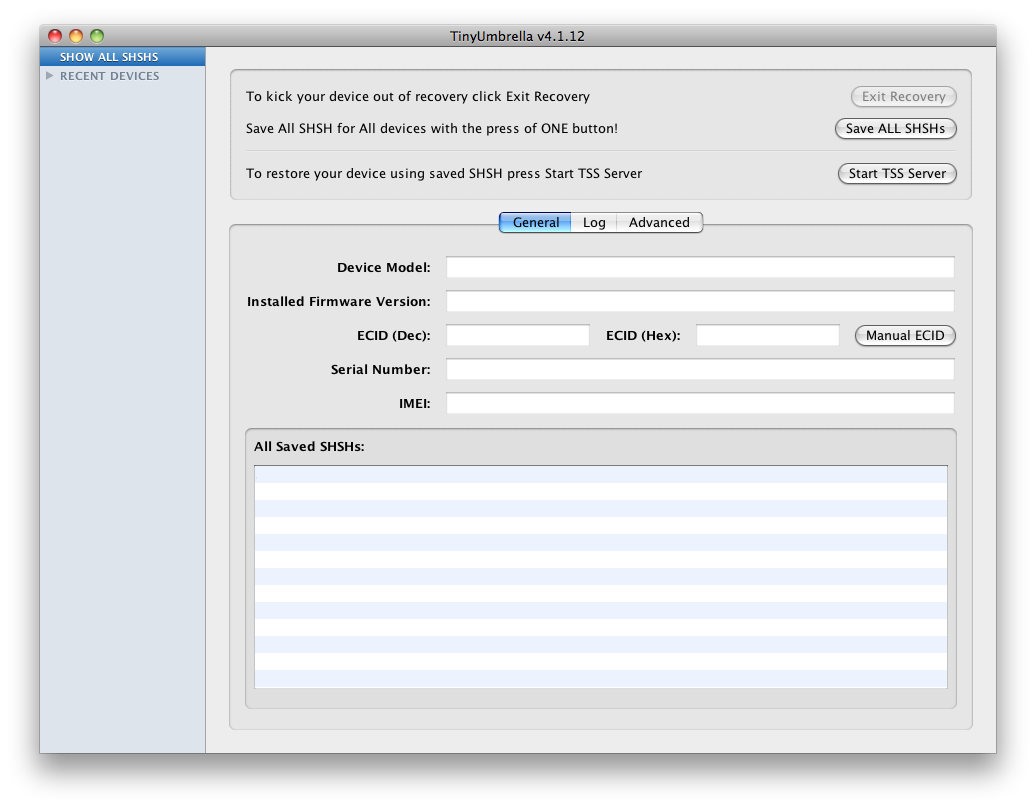
TinyUmbrella Update Will Bypass SHSH Checks and Restore iDevice Without iTunes

Semaphore is working on an update to TinyUmbrella that will allow users to restore their iDevices without iTunes.

I've been working on a new and improved version of TinyUmbrella that will, among other things, allow you to restore your iDevice without iTunes. With the holiday season and work, this will take me a bit to get working the way I want it. I appreciate your patience and your support. You guys are awesome :) No ETAs yet but I'll post updates here and on twitter.

Semaphore explains that this means bypassing shsh checks will be possible for devices that can be exploited by limera1n (basically all devices available now) and the steaksauce exploit for the mc 2g ipod touch.

You will always be able to install a custom firmware (or stock firmware) following these directions.

1. Enter DFU
2. Run the Exploit
3. Wait for the White Screen
4. Restore the ipsw of your choice.

Some changes to the ipsw will be required. We will post more information as it becomes available.

Read More [via iPaDevice]


Thứ Sáu, 10 tháng 12, 2010

How to get FREE credits on Textnow - Finally, a way to call people on iTouch!!!


Textnow is a great little app that lets you send unlimited SMS/Picture messages on an iPhone or iPod Touch and also gives you your own phone number. Not only that, but now you can actually make calls!!! That's right, make calls right from your iPod touch to anyone (US & Canada) for FREE (Assuming you follow these steps correctly). There are also some extra little features like disabling the annoying ads and getting a voice mail. But these require credits. Today, i will show you how to get free credits.

AND YES, THIS DOES WORK OVER 3G

Requirements:
-Installous
-Textnow 4.3 (4.2 will also work)
-Backgrounder


Step 1: Download Textnow if you haven't already.Since it is free, I like going to the app store rather than Installous.
-----------------------------------UPDATE-----------------------------------
You can no longer get Textnow 4.3 from the App Store. They upgraded to 4.3.2 which will not work for my purposes. Instead, go to Installous and get the latest version of Textnow which is currently 4.2. More info about this at the end of the post** 


Step 2: Open Textnow.


Step 3: Click on the shopping cart button


Step 4: Click on the "Earn More Credits" tab. Note that I have 33 Available Credits. This is only because I already got some credits. You should have 0.


Step 5: Click on "More".


Step 6: You should now come to a screen with a list of apps. Each app will give you a certain amount of credits if you "buy" it. Go find an app with at lest 7 credits (Less than 7 will work, but they are often free and you can redeem the credits by installing it from the app store). Once you found one, remember the name and using backgrounder, Open Installous and search for the app. Often, Installous won't have the app. If you find the app in Installous, don't download it yet. Switch back to Textnow and click on the app you searched in Installous. I picked Best Alarm Clock + Weather for 14 credits.


Step 7: This should bring up the app store showing the app you chose.


Step 8: Scroll down and look at the app version. Switch back to Installous.


Step 9: Note the version of the app that Installous has. If they are different, go and choose another app because this will not work. If they are the same version, download and install it.


Step 10: Go to your home screen and find the app you installed. Open it.


Step 11: Once you open it, you should get a notification saying that you got some credits for Textnow. Once you get this notification, you are safe to delete the app. You will still have the credits it gave you.


Step 12: Go to Textnow and you will see that you've got more credits!! Just keep doing this over and over again to get more and more credits. Have fun!!


To Make Calls:


Step 1: Enable "Call Forwarding & Voicemail"


Step 2: Now you should see a "Calling Minutes" tab. It will come with 100 minutes already and you are free to "Buy" more.

Step 3: Go to the mail page and you will see a "Messages" and "Phone" tab at the top. Congratulations, your iPod is now a fully functional phone that can make and receive calls!!!


Please post if you have any Questions/Comments

Don't forget to thank if I helped you!!


**When you have accumulated enough credits, delete Textnow 4.2 and install the latest version from the App Store the late

antid0te: Upcoming Jailbreak Process Will Bring Enhanced Security To Jailbroken iPhones

Posted Image

A German security analyst is about to unveil a new jailbreaking process that will make iPhones much more secure. Stefan Esser, a security consultant and application developer for SektionEins, has found a way to support Address Space Layout Randomization (ASLR) in iOS, and has developed a new jailbreak tool – to be called antid0te – to implement it, making iPhones much more resistant to malware attacks. The tool will be announced at a security conference next week and should be available soon thereafter.

Esser will be presenting antid0te at the Power of Community security conference in Korea on December 14th. “With ASLR,” the conference notes explain, “an exploit mitigation is added that is not available in factory iPhones and makes exploitation more difficult.” And according to Esser, he’s going to continue to work on further hardening the iPhone: “more mitigations and a full reactivation of the codesigning protection are planed for the next months.

Dev Team Working on Baseband Downgrade for Easier iPhone Unlock

Posted Image

Those of you who recently unlocked their iPhones running iOS 4.2.1 or 4.1 know that the process wasn’t as straightforward as we expected. The latest UltraSn0w unlock works for the iPhone 3G or iPhone 3GS with baseband 04.26.08, 05.11.07, 05.12.01, or 05.13.04. It also works with iPhone 4 with baseband 01.59.00. But if you’re iPhone is on a different baseband, you have to upgrade to 06.15.00, either using RedSn0w or PwnageTool.

This new unlock doesn’t come without its share of issues, with battery drain for some of us, and/or GPS issues for others. Fortunately, it seems the Dev Team is working on a baseband downgrade method, which would make the unlock process easier, and safer…

From what I understand, the goal would be to allow an iPhone with the 4.2.1 baseband to be downgraded to 04.26.08, 05.11.07, 05.12.01, or 05.13.04, to then use UltraSn0w to unlock. Apparently, this baseband downgrade method might also work for baseband 06.15.00.

So it looks like iPhone 3G and 3GS users will be fine. It’s still not clear at this time if it will also be possible to downgrade the baseband of an iPhone 4 to 01.59.00, but let’s hope so.

Thứ Tư, 8 tháng 12, 2010

How to Watch Flash Video on Your iDevice Using iOSFlashVideo

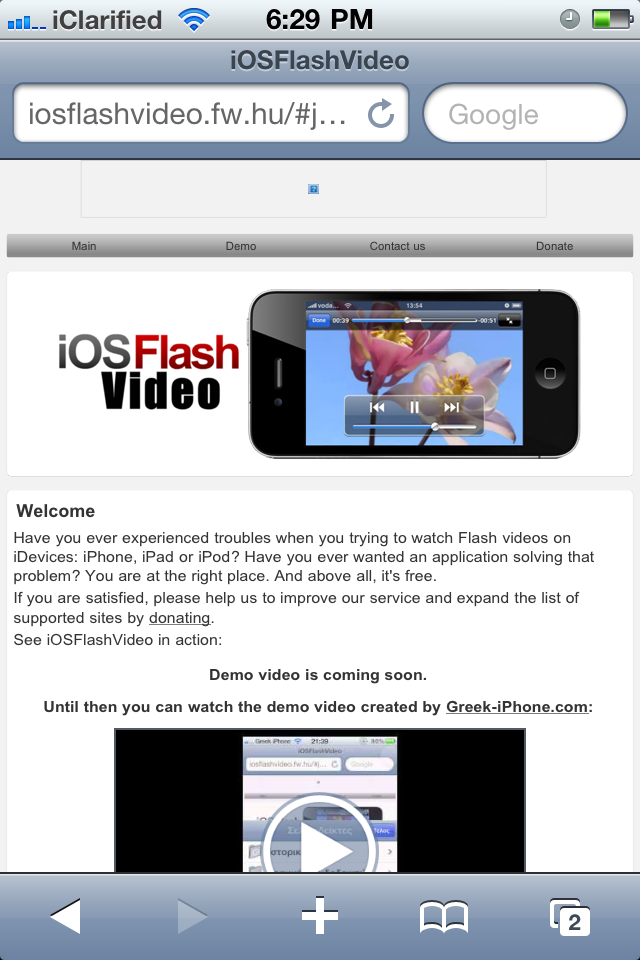
These are instructions on how to watch Flash video on your iPhone, iPad, or iPod touch using the iOSFlashVideo bookmarklet. Currently support sites are Dailymotion, Flickr Video, MegaVideo, Vimeo.


Step One
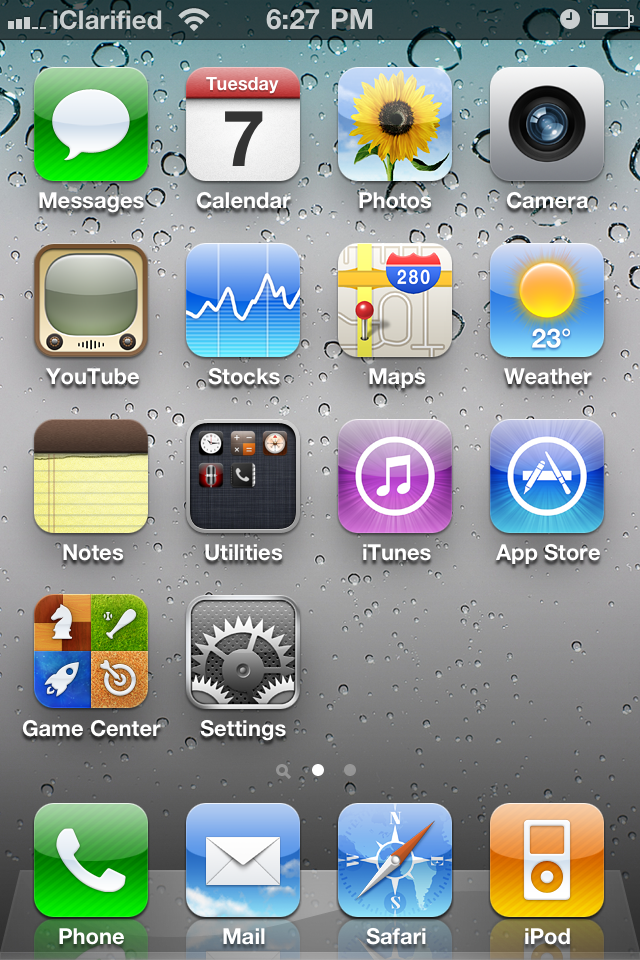
Press to launch Safari from your SpringBoard.


Step Two
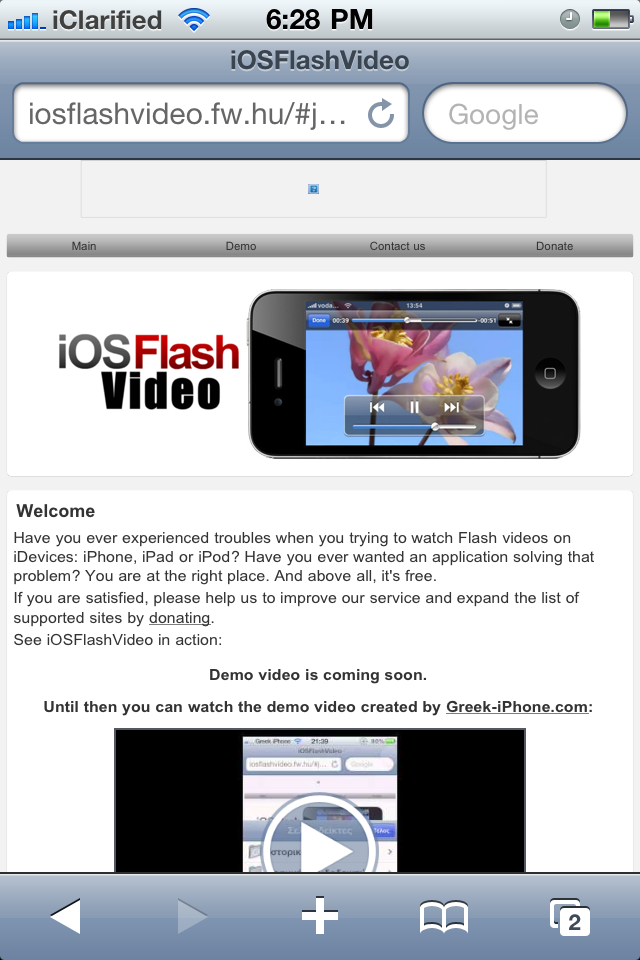
Navigate to http://www.iosflashvideo.fw.hu


Step Three
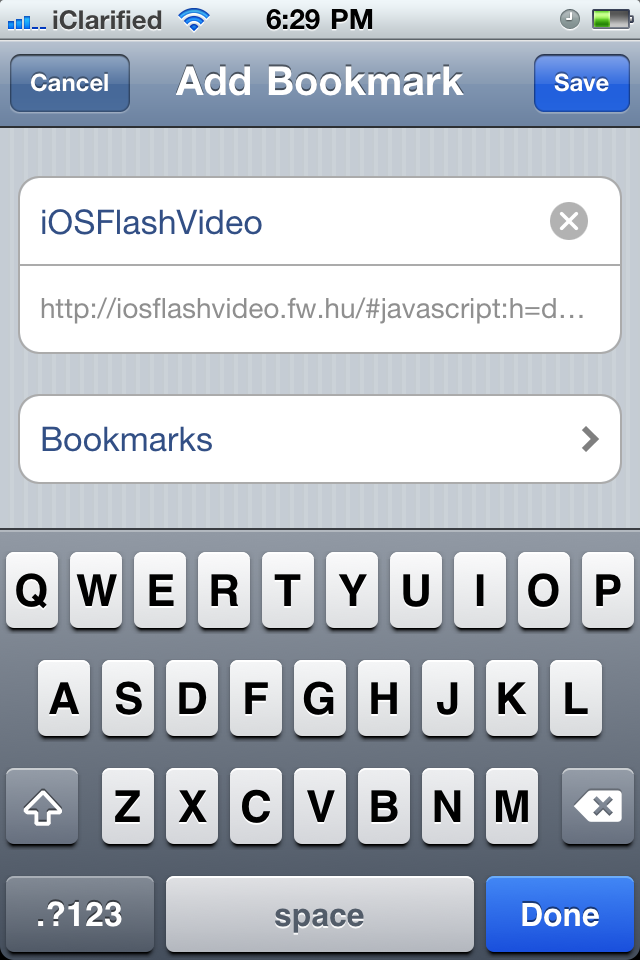
Press the + icon then select Add Bookmark from the popup menu.


Step Four
Press the Save button.


Step Five
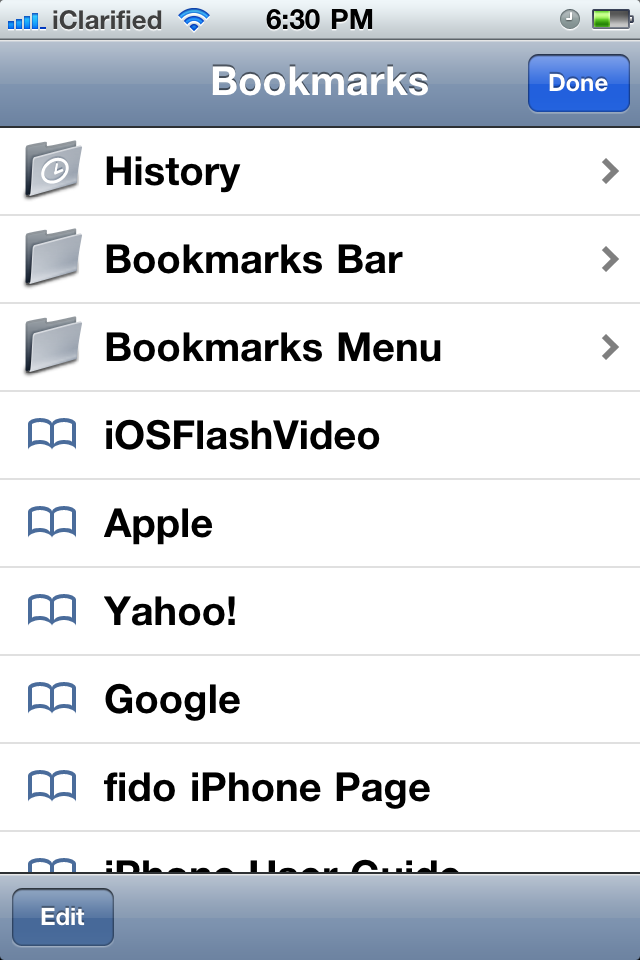
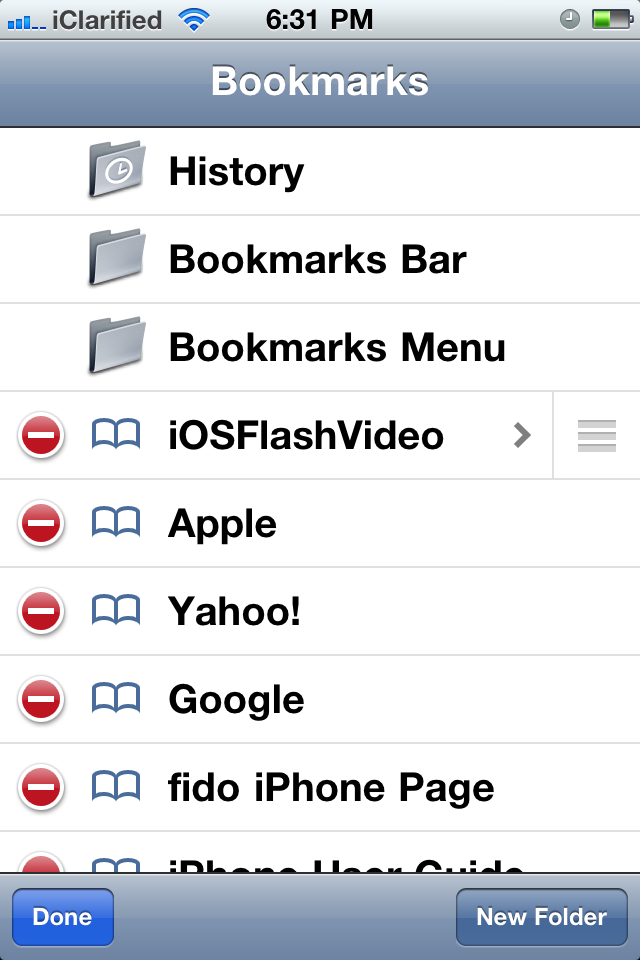
Press the Bookmarks button at the bottom of the screen and press Edit.


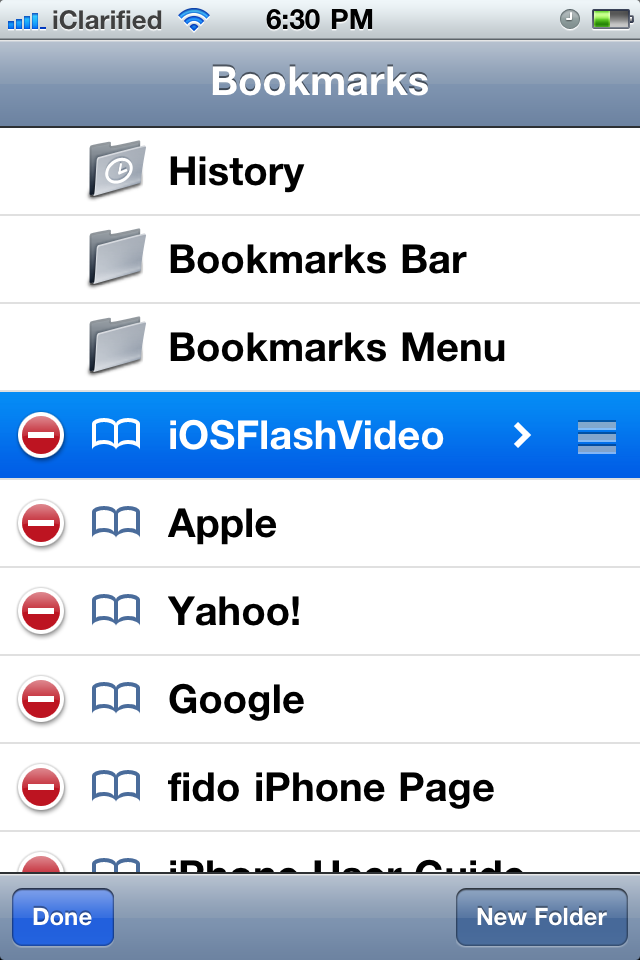
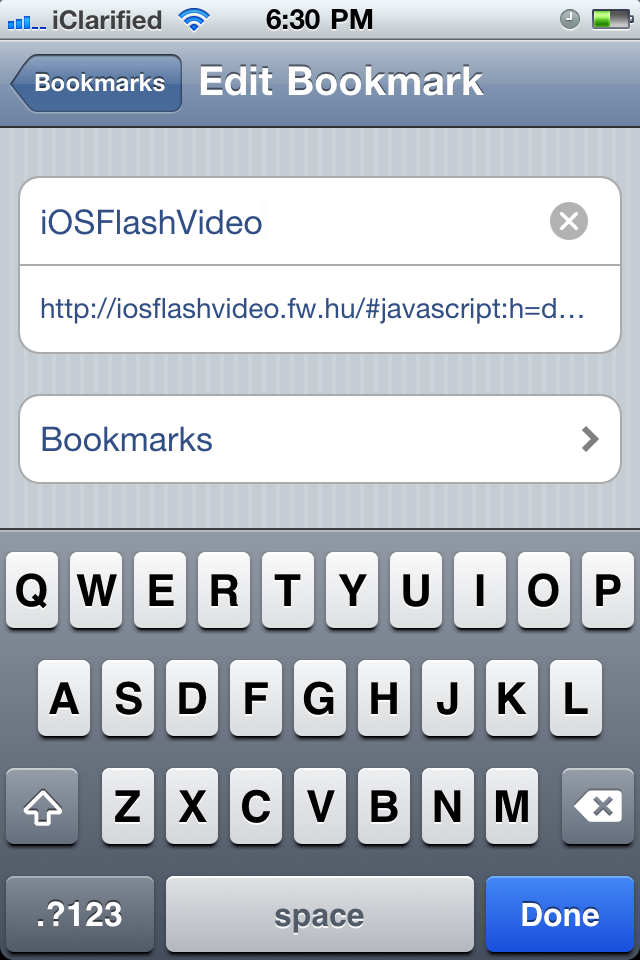
Step Six
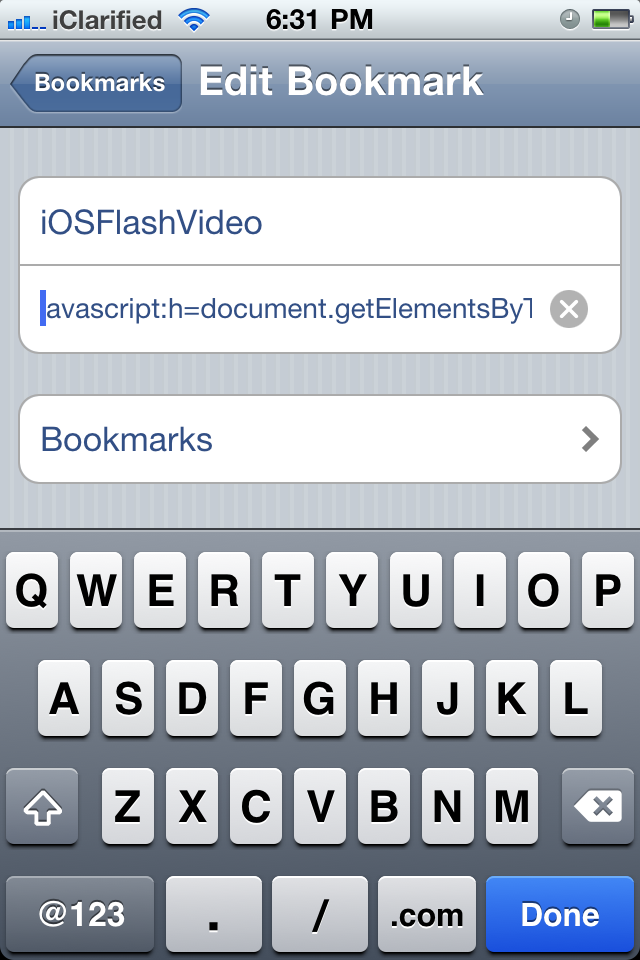
Select the iOSFlashVideo bookmark, remove all content before javascript: in the bookmark location and pressDone


Step Seven
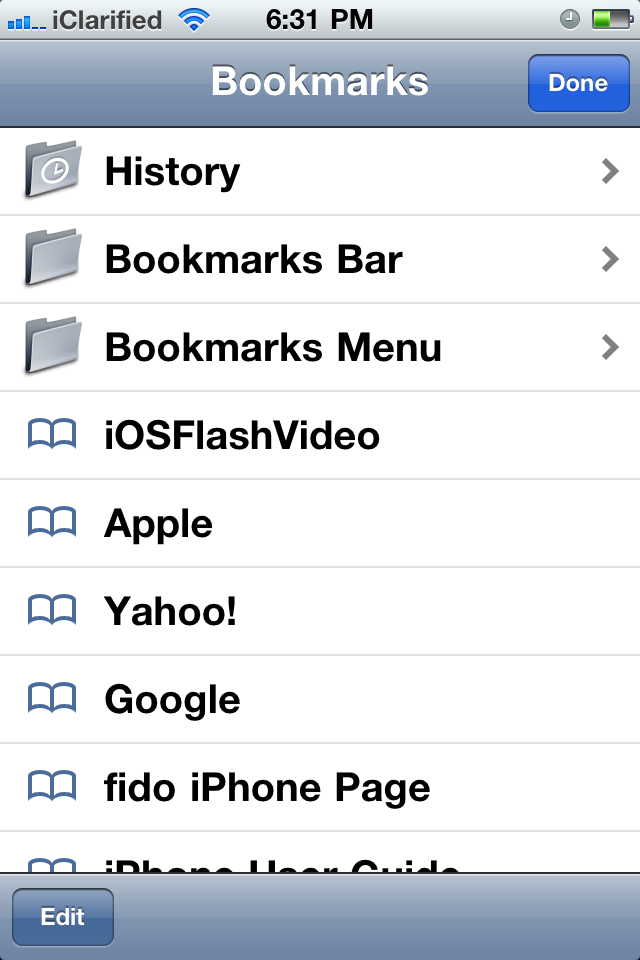
Press Done to exit Bookmark editing mode then press Done to exit the Bookmarks screen.


Step Eight
Navigate to one of the support sites for example DailyMotion and load a page with a video. Then press theBookmarks button and choose the iOSFlashVideo bookmarklet we saved.


You'll now be able to view the video.


iPhone Dev-Team Successfully Untethers iOS 4.2.1 Jailbreak [Video]

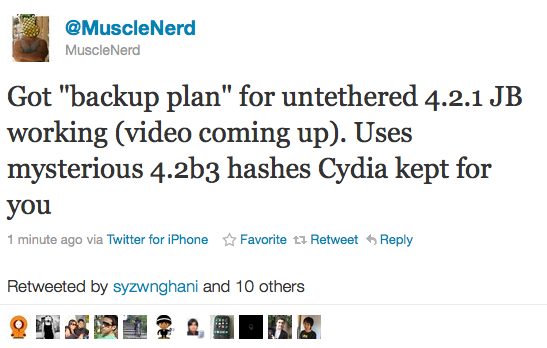
The iPhone Dev-Team has announced that they have successfully untethered the jailbreak for iOS 4.2.1 for those with their 4.2b3 hashes saved.

MuscleNerd recently tweeted, Got "backup plan" for untethered 4.2.1 JB working (video coming up). Uses mysterious 4.2b3 hashes Cydia kept for you.

(It's a "backup plan" because comex is working on a more extensible one, but this method is also generalizable)


We'll keep you up to date with more information as it develops.


Bài đăng phổ biến