Hiển thị các bài đăng có nhãn iPhone 4. Hiển thị tất cả bài đăng

Thứ Năm, 31 tháng 5, 2012

iPad thế hệ thứ 3 màn hình siêu "mịn"

 Chiếc Ipad 3 Của Apple được hướng đến sử dụng màn hình PenTile mới nhất của Samsung với độ phân giải là tới 2.560 x 1.600 pixel với chiếc máy tính bảng

Samsung mới đây đã công bố kế hoạch cho ra mắt màn hình máy tính bảng với độ phân giải siêu tưởng 2.560 x 1.600 pixel tại hội thảo quốc tế Display Week ở Los Angeles vào tuần tới.
Loại màn hình cảm ứng WQXGA 10,1 inch này có độ phân giải vượt xa tất cả những loại màn hình cảm ứng dành cho máy tính bảng thông thường trên thị trường hiện nay, với độ phân giải lên đến 2.560 x 1.600 pixel và mật độ điểm ảnh lên đến 300 dpi. Ngoài độ phân giải siêu tưởng, công nghệ màn hình có tên là PenTile này còn giúp tiết kiệm 40% điện năng tiêu thụ so với loại màn hình RGB thông thường.

Các nhà quan sát cho rằng Apple sẽ không bỏ lỡ cơ hội trang bị cho dòng sản phẩm iPad 3 của mình loại màn hình với độ nét cực cao này, để xứng tầm với công nghệ hiển thị Retina (đang là công nghệ hiển thị số 1 hiện nay trên các dòng điện thoại thông minh) vốn được trang bị cho iPhone 4. Điều này là hoàn toàn có cơ sở, do công ty điện tử khổng lồ của Hàn Quốc vốn có truyền thống là nhà cung cấp linh kiện hàng đầu của Apple, nhất là sản phẩm màn hình cảm ứng và loại chip A4 và A5 đang được dùng trong dòng sản phẩm iPhone 4 và iPad 2 của Apple.
Hiện tại, loại màn hình mà Apple sử dụng cho iPad 1 và iPad 2 có độ phân giải 1.024 x 768 pixel, chỉ bằng một nửa so với loại màn hình mới của Samsung.'
theo zing


Thứ Tư, 4 tháng 8, 2010

How to Unlock the iPhone 4, 3GS, 3G Using UltraSn0w


These are instructions on how to unlock the iPhone 4, iPhone 3GS, and iPhone 3G for use with any GSM cellphone carrier using UltraSn0w. This will work with the iOS 4.2.1 firmware if you are on the 06.15.00 baseband.

Before you can follow these instructions you must have a jailbroken iPhone and you must be on the 04.26.08, 05.11.07, 05.12.01, 05.13.04, 06.15.00, or 01.59 baseband(modem firmware).

If you are on T-Mobile remember to turn off 3G before starting...

Step One
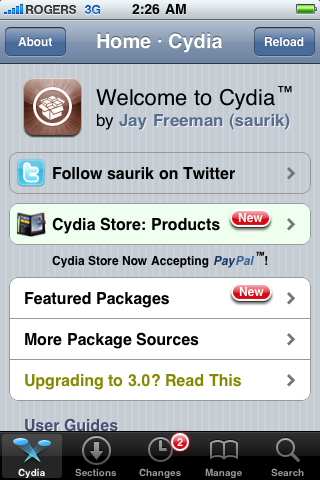
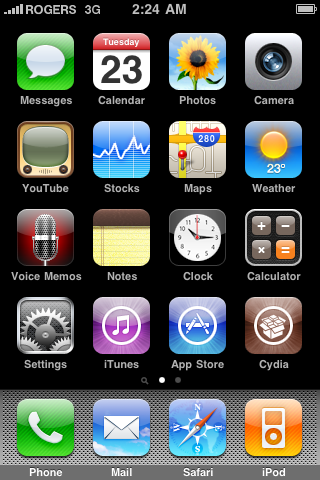
Press to launch Cydia Installer from your SpringBoard.


Step Two
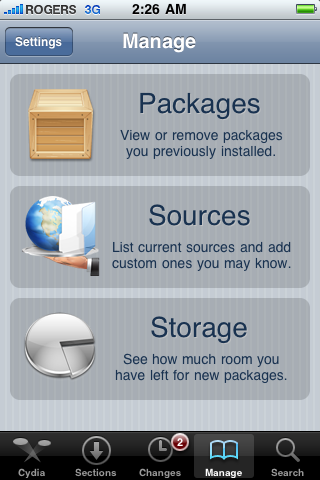
Press to select the Manage tab at the bottom of the screen.


Step Three
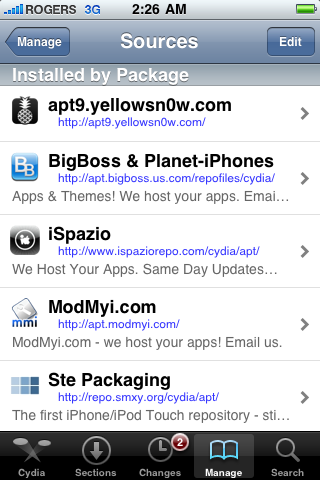
Press to select the large Sources button


Step Four
If the ultrasn0w repo is not present press the Edit button at the top right of the screen. Otherwise, skip to Step Nine.


Step Five
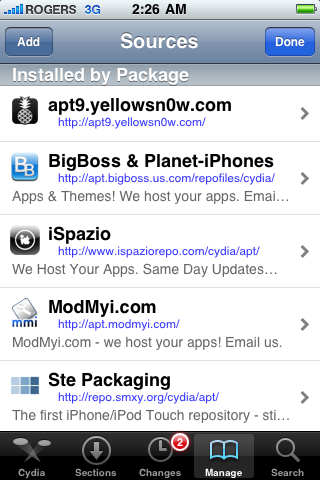
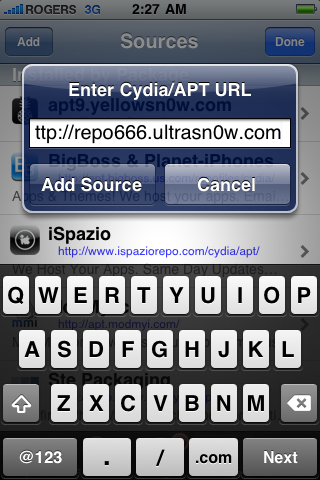
Press the Add button at the top left of the screen.


Step Six
Enter http://repo666.ultrasn0w.com/ as the source url and press the Add Source button.


Step Seven
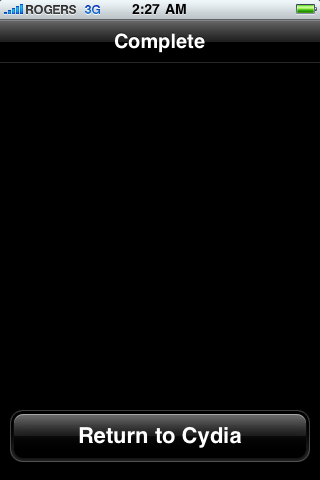
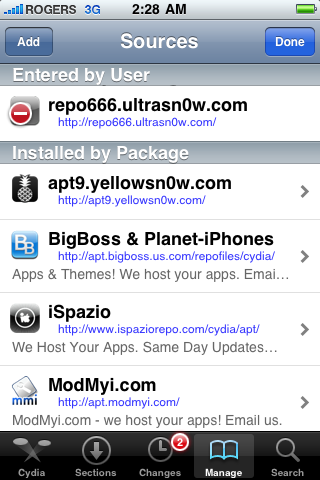
Once the source has been added press the large Return to Cydia button.


Step Eight
Press the Done button at the top right of the screen.


Step Nine
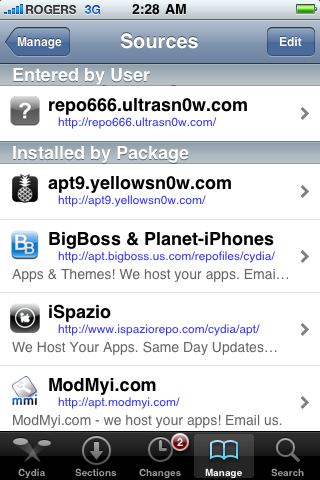
Press to select repo666.ultrasn0w.com from the list of user entered sources.


Step Ten
Press to select ultrasn0w from the list of packages


Step Eleven
Press the Install button at the top right of the screen.


Step Twelve
Press the Confirm button at the top right of the screen.


Step Thirteen
After installation completes successfully press the large Restart Springboard button.


Step Fourteen
You should now be able to insert the SIM of your choice!


***THANKS: A big thank you to all the members of the iPhone Dev-Team for all their hard work! It is much appreciated by all.

Bài đăng phổ biến